
New in XNAT 1.10.0, site administrators can dynamically define a new data type without requiring development of a new plugin.
For rapid data type definition, site administrators can use a combination of XNAT’s Dynamic Data Type definition and Custom Forms to rapidly define a new experiment or assessor type, manage inputs, and generate display documents to support search results. This can all be done in real time, without requiring a custom plugin or a server restart.
This functionality is meant to be used for simple data types, not new image session modalities. Supporting new modalities requires additional development.
To begin, log in to your XNAT as a site administrator and go to Administer > Data Types.
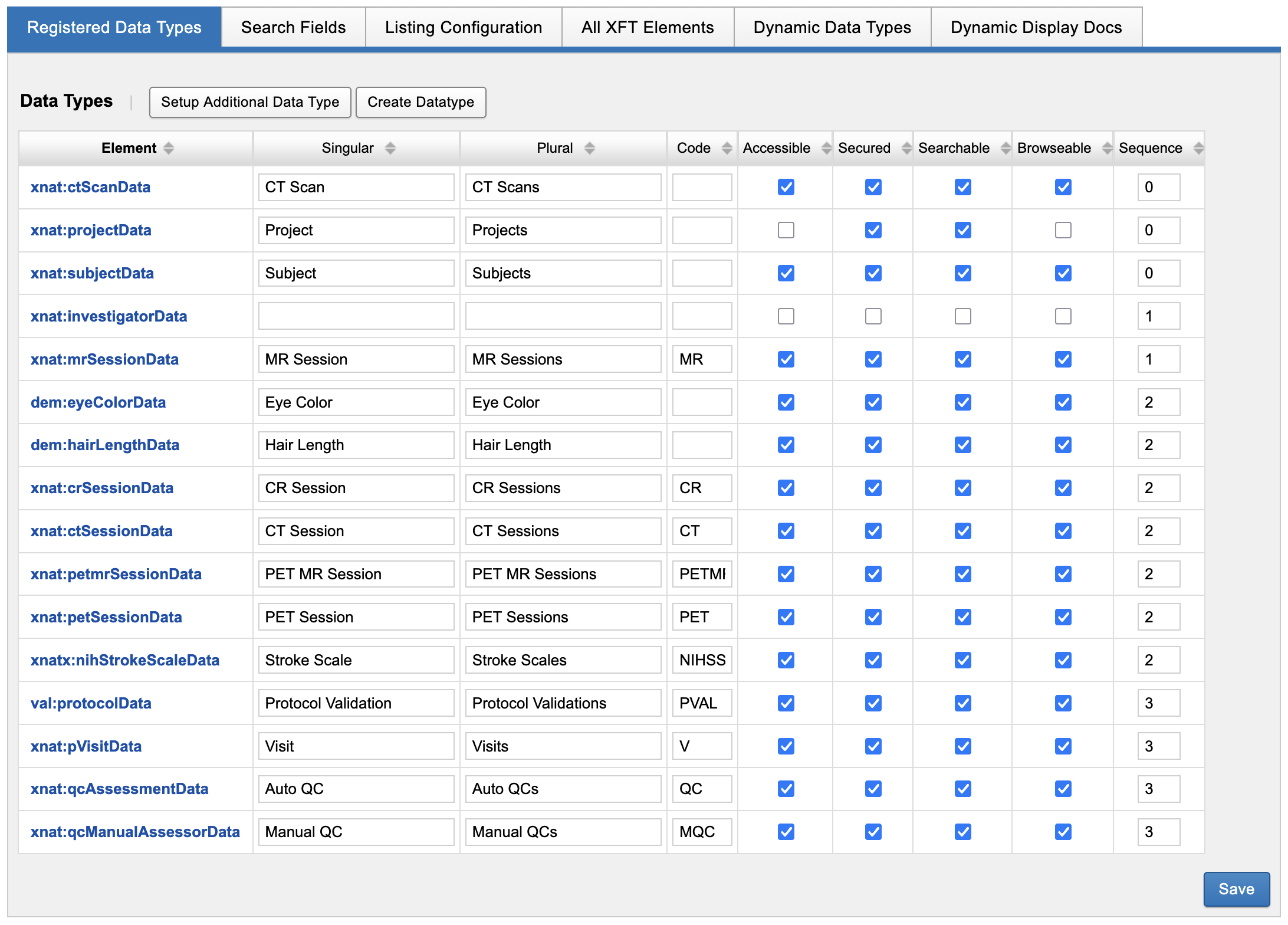
Creating a new Data Type
To create a new data type, it’s important to understand what kind of data type you want. Review the XNAT Data Model for detailed guidance, but at a basic level there are three major types of options:
-
Subject Assessors, such as a clinical assessment of a subject
-
Image Assessors, such as a QC or Rad Read that is applied to an image session
-
Project Asset, which is an experiment that can pertain to no subjects such as a project progress report, or to many subjects such as a group analysis result
Project asset data types are only minimally supported in the XNAT UI by default. If you are planning on using this data type, it may be worth writing a plugin to support adding “edit” and “report” pages to support it.
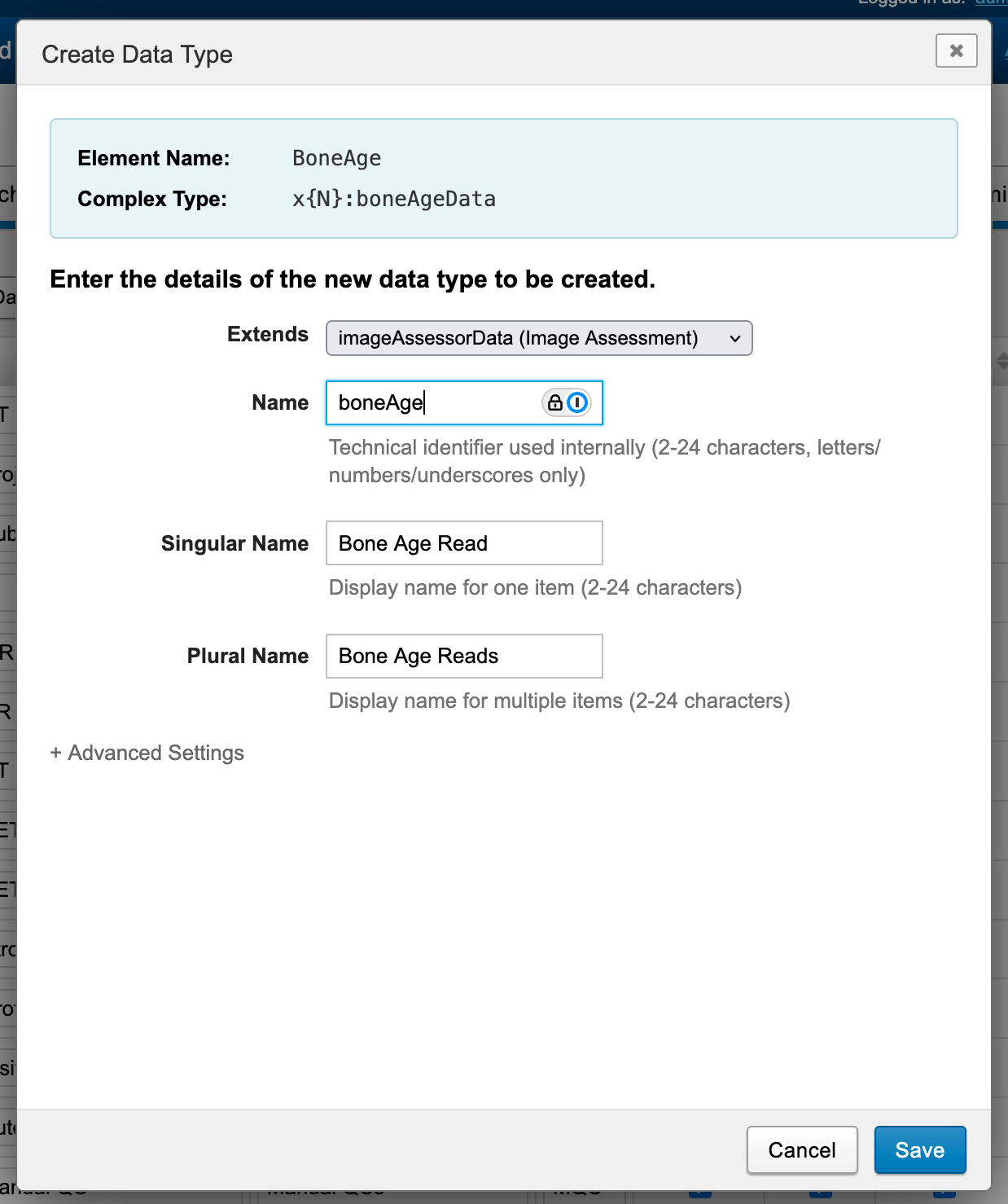
Once that is decided, the next thing to do is to decide how to name your data type. The UI offers some guidance here. For example, if you wanted to create an image assessor for performing Bone Age reads, using this template from RadReports.org, your naming could look something like this:
Standard XNAT xsiType naming follows the following convention:
Name: MrSession
xsiType: "xnat:mrSessionData"
Where xnat: is the prefix, mrSessionData is the complexType, and MrSession is the schema name.
When you use the Create data type UI, the “Element Name” field and “Complex Type” fields at the top of the screen are auto-populated from your entry in the “Name” field, and take care of the subtler rules of xsitype naming. These values will be saved into the XSD that is created on save. Additionally, a prefix will be auto-generated, with a numeric increment to avoid possible conflicts.
Under “Advanced Settings”, you can customize the prefix and complexType if desired.
Certain prefixes are reserved for use by XNAT and cannot be used in a dynamic data type definition. These include: 'cat','prov','icr','scr','wrk','xnat','xnat_a'
Optional: Adding Actions Box Entries
When creating a new image assessor data type, you will be given the option of adding an “Add <Image Assessor Name>” link to the actions box of all known image session data types. This option does not apply when creating new subject assessors or project assets.
Optional: Adding Custom Forms
After creating your new data type, you can immediately add a new custom form for that data type. This gives you the opportunity to define searchable fields in your schema that should be collected and stored.
See: Custom Forms Administration